
May 1, 2024 Release

What’s New
- New Features
- Platform (Convert More Datasources to Full Screen Data Explorer)
- Optix (LinkedIn Ads and Pages API Policy Update)
- Improvement (Intelligent Agent Snapshots – speed and styling issues)
- Research (Prototype and IA Visual Selection Referenced Content Mockup)
- Maintenance
- Platform – Frame-out the hierarchy of orgs for dataset/storyboard usage (styling to come).
- Guam – Investigate and Resolve Ghost Data Reported Issue
- Platform/NYIT – Multi-select Filters with Existing Selections Now Allow Further Selection
- Optix – Most Popular Filter Now Shows Results And Tracks Views
- Optix – All Expired Organizations 1+ Years Old Now Show Expired Dialogues Within Org
- Platform – Storyboard Dataset Name Now Appear When Hovering Over Dataset
- Platform – Non-Integration Data Source Connection Shows Matching States When Not Connected
- Platform – Improve Overall Styling of Date/Datetime Fields in Full Screen Data Explorer
- Platform – Correct the Hover Over Name Spelling Issue for Thumbnail View in Library
- Platform – Newly-added Visual Library Descriptions no Longer Show code to the User
New Features
In this release, there were updates and improvements made to the data explorer, intelligent agents, and visual descriptions, Storyboard filtering, and social media connections.
This sprint the nucleus team improved the overall styling of sparkline filters, to remove any additional white space. We also converted many more datasource connections to the new full screen view. If there is a datasource connection that is still not using the full screen view, please message: support-nucleus@vantage.com
One major focus this sprint was on Intelligent Agents Storyboard Snapshot speed and quality improvements. Here are a few examples of the Intelligent Agent improvements released this sprint:
- Centered snapshots no longer show mouse interactions and unexpected popups.
- Resolved slow delivery times.
- Visual Library preview and Storyboard snapshots no longer cut off visual title name in screenshots.
- Resolved Storyboard snapshots showing a loading visual icon instead of expected result.
- Interactive snapshot buttons no longer direct to the wrong domain address url.
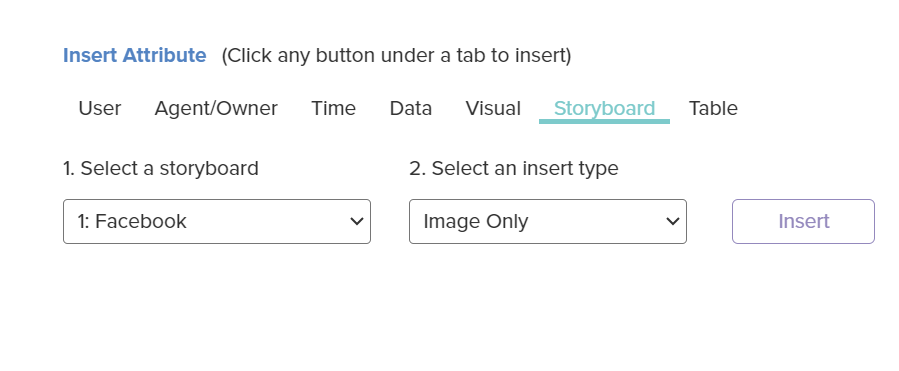
To add a Storyboard snapshot to an Intelligent Agent, go to the ‘Insert Attribute’ section of the Intelligent Agent builder and look for the ‘Storyboard’ section. After selecting the Storyboard and insert type, make sure to click the insert button. You should then see the Storyboard snapshot in the Preview view.
The nucleus team also began an Intelligent Agent rich text editor research task this sprint. Most work was spent focusing on initial graphic mockups and technical prototypes. The team plans to release this feature to the public next sprint, but here are a few previews:
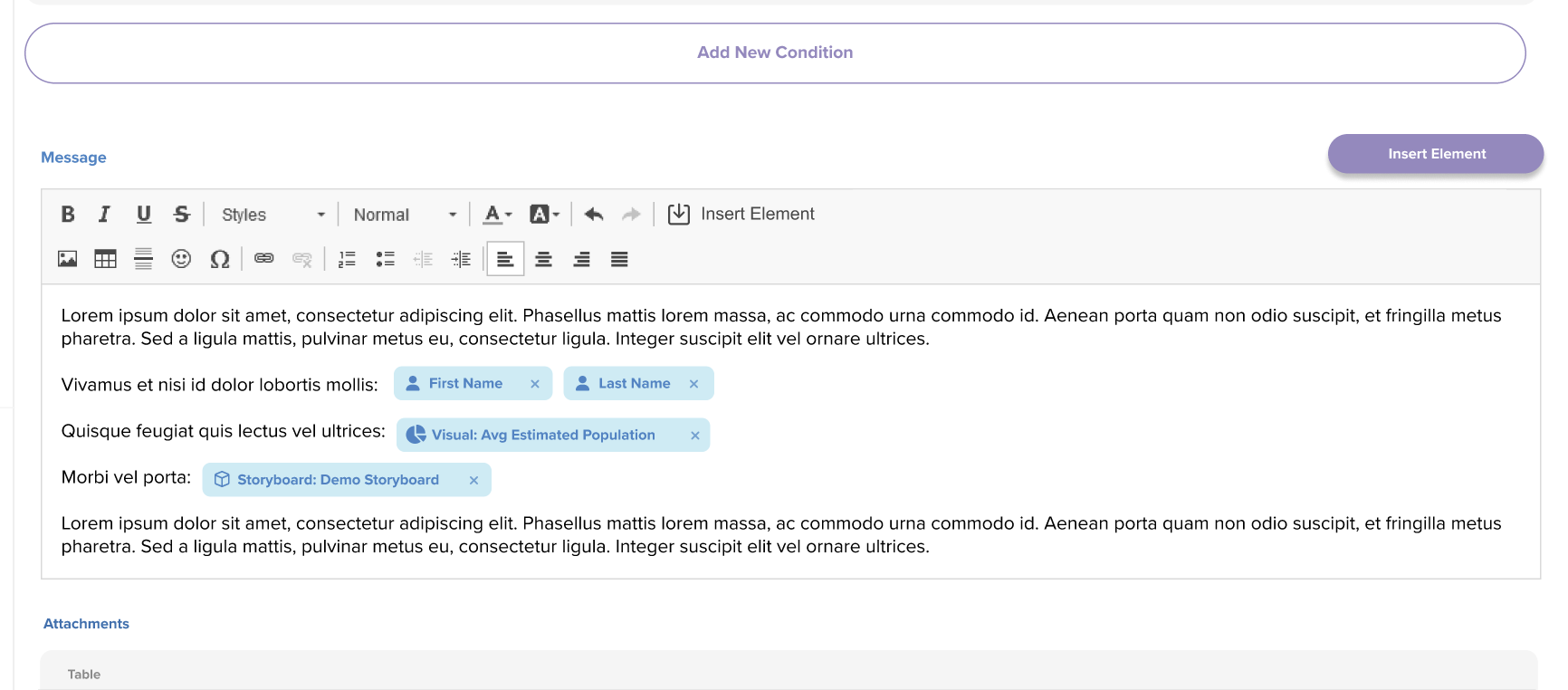
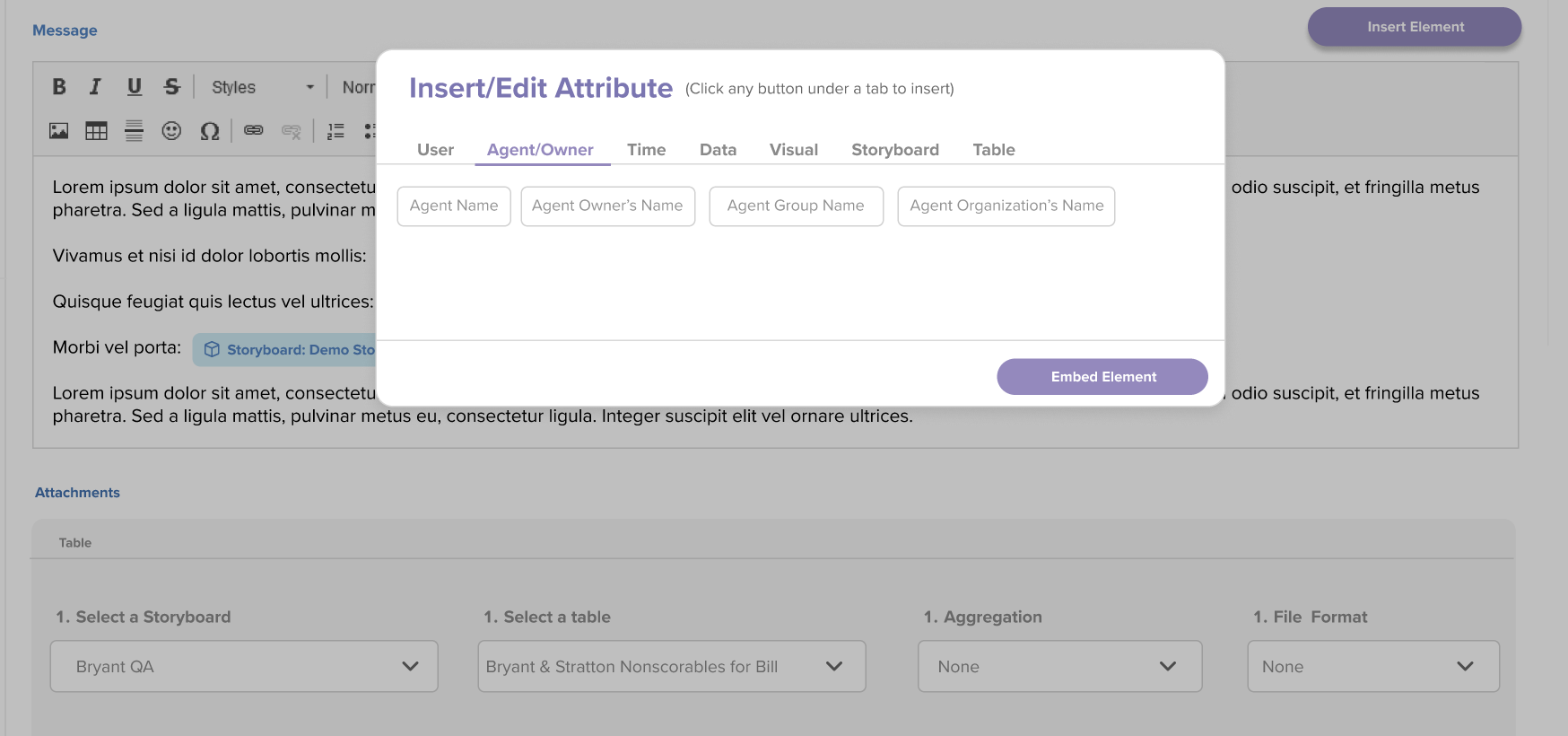
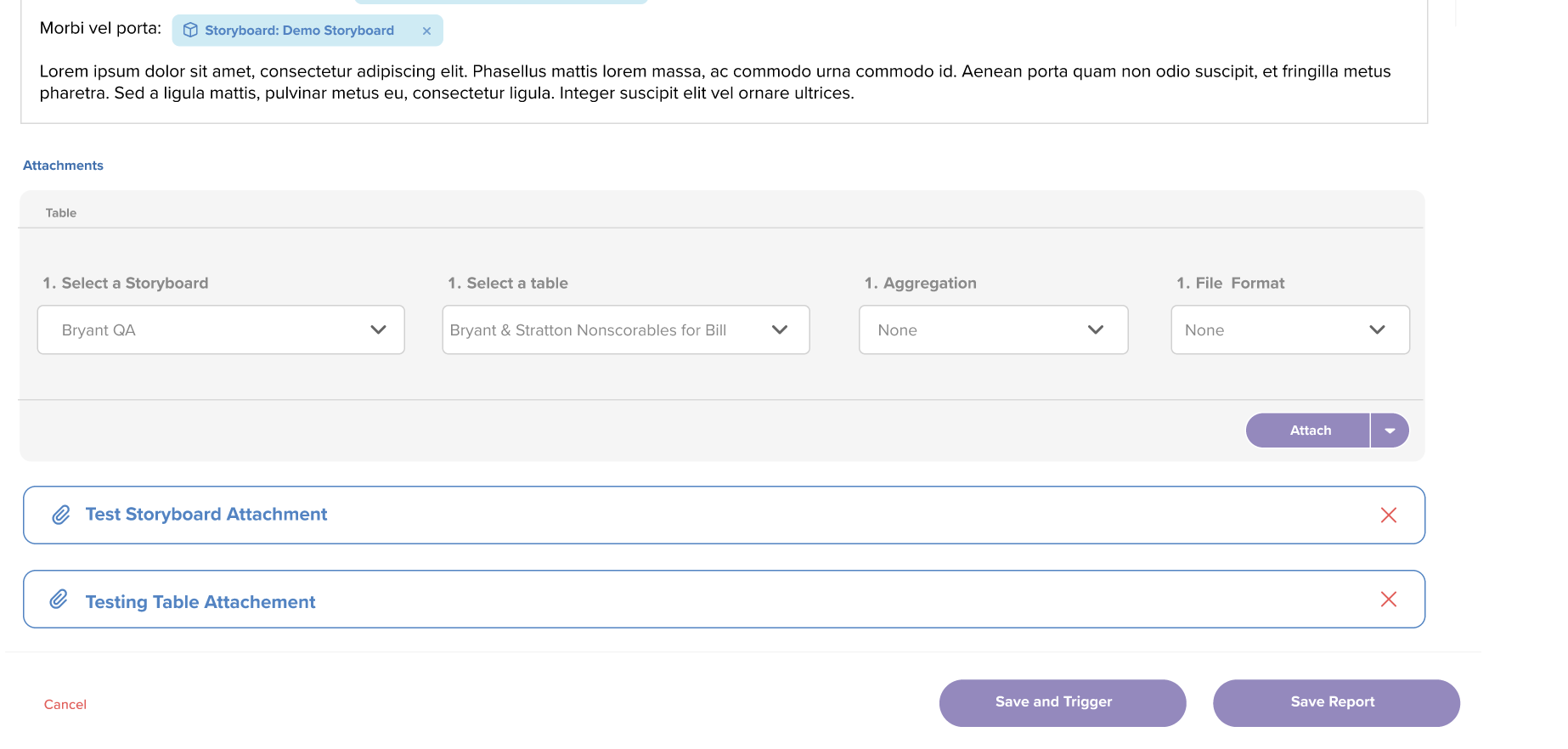
Please provide any feedback/suggestions you have in regards to the initial mockups above!
If you have any questions or encounter any problems, please contact: support-nucleus@vantage.com