
March 12, 2025 Release

What’s New
- New Features
- Allow users to create expressions within a configured table to create a new custom metric that references column values to generate a new calculated value.
- Allow the ability to apply a custom sort order for individual visuals
- Resolved remaining page/storyboard filter bugs and improvements
- Research and Maintenance
- Platform – Reviewed Nucleus Backlog and Reprioritized/Recategorized Tasks
- Platform – Removed Circle Headline ‘JS chart’ From Visual
- Optix – Improved Template Demo Data Styling
New Features
New features include the ability for users to create expressions within a configured table, enabling them to define custom metrics that reference column values to generate calculated results. Additionally, users can now apply a custom sort order to individual visuals, offering greater flexibility in data presentation. Various improvements have also been made to address remaining issues with page and storyboard filters, ensuring a smoother and more consistent user experience.
Both of these main features (custom sort order / table expressions) are still being further developed and are currently only supported via request only. If you would like to learn more about how these new features please reach out to: support-nucleus@vantage.com
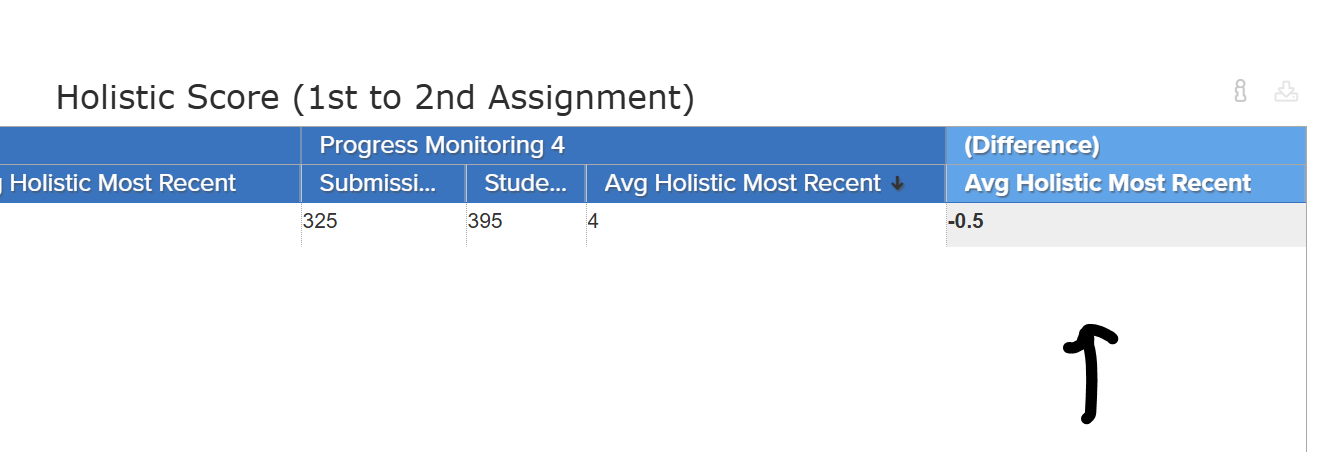
Here is some more information in regards to how these features work. If you have a specific measure in your table you want to perform a unique calculation with, such as Avg Holistic Most Recent, you will now be able to perform calculations between grouped metrics. So in the visual below, for example, each Avg Holistic Most Recent is performing a difference. This has similar styling to the Column Overall toggle.
The new custom sort order work aims to allow users to build custom sort order for individual visuals or Storyboards, as opposed to the current toggle available in the data manager.
If you have any questions or encounter any problems, please contact: support-nucleus@vantage.com