
April 8, 2024 Release

What’s New
- New Features
- Platform (HTML Visual Descriptions, Graphic Sorting, Scaling/Sessions)
- Optix (Facebook Integration API Upgrade and Verification Approval, Trend Headlines)
- Enhancements (Storyboard Graphics and Visuals, Intelligent Agent and Visual Library User Experience)
- Maintenance
- Optix – Trial Warnings No Longer Overlap Other Menu Dialogues
- Optix – Newly Created Org Trial Plan Styling Improvements
- Platform – Shared Dataset Filter Values Hold Selections Between Application/Org/Group
- Platform – Templates With 3 Row Names No Longer Overlay Over Download Icon
- Platform – Improve Overall Styling of Date/Datetime Fields in Full Screen Data Explorer
- Platform – Resolve Template Preview Popup Datasources Cut Off By Right Dialogue UI
- Platform – Adding New Groups to Newly-Created Organization No Longer Causes an Error
- Platform – Users Can Now Immediately Create Storyboards When Visiting Newly Added Org/Group
- Platform – Increased Allowed Character Count Limit to 100 for File Upload Names
- Platform – Canceled Data Feed Now Shows Correct Duration Time Before Switched to Canceled
- Platform – Allow Super Admins No Forbidden Access to Change User Passwords
New Features
In this release, there were updates and improvements made to visual descriptions, library graphic sorting, a lot of upgrades and improvements made to both storyboard graphics and visuals and Intelligent Agents.
One new feature for the Storyboard is updated description tools. To access this feature, create a visual in the Storyboard editor and look for the gear icon in the description category:
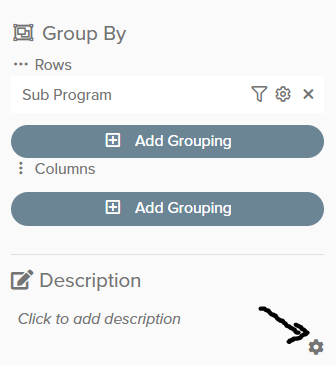
After clicking the gear icon, you have editor options to utilize while adding description content:
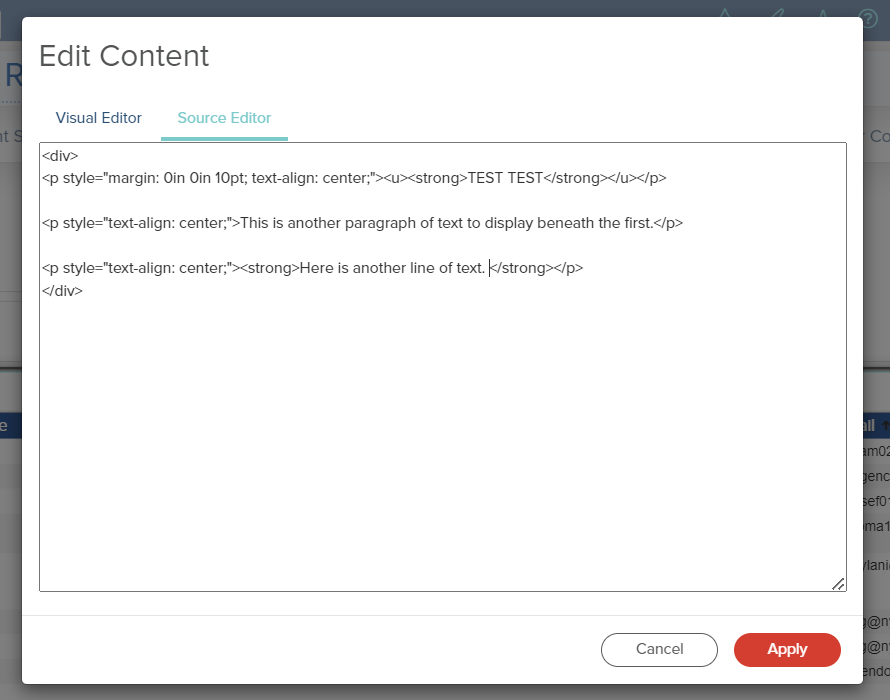
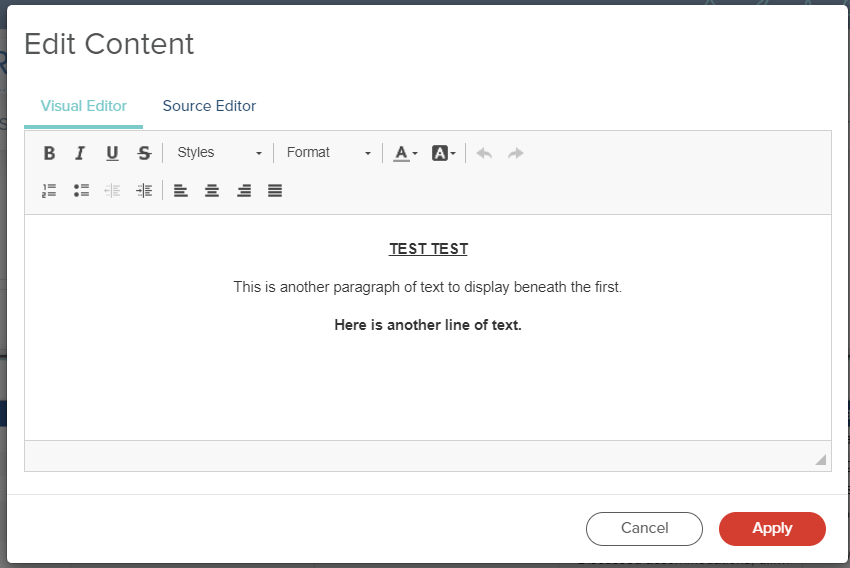
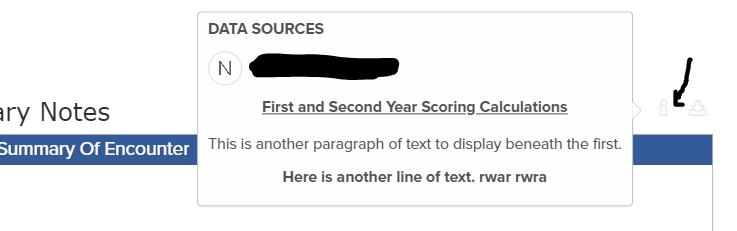
In the visual library editor, we have also improved the ordering/sorting feature when organizing visual locations within the Storyboard editor. Here is a quick video demonstrating the feature:
Here are a few more improvements made to the visual library editor and intelligent agents:
- Visual Library styling now formats correctly, without quotes or semi-colon.
- Embedded data that fails to populate in IA messages now display an error message to end user.
- Corrected any differing logos between scheduled and manual IA emails.
- Fixed incorrect styling in IA editor when using the “record count” for a measure.
- Exiting out of a previously sent IA no longer brings the user to a new IA editor.
Here are a few more improvements made to storyboard graphics and visuals
- Updated styling of the popup dialogues when connecting new data source connection within the storyboard editor.
- Allow Q/Y date filters to be sortable in table columns.
- Storyboard datetime popup overlay no longer cut off the screen.
- Popup link tables now snap to center of screen.
- Scrollable fields in storyboard editor menu no longer obscure the customizable filters .
- Removed unnecessary scroll-bar from list charts.
If you have any questions or encounter any problems, please contact: support-nucleus@vantage.com