
June 9, 2025 Release

What’s New
-
- Aggregate average metrics now provide overall average calculation
- Allow users to create new custom measures while editing any Storyboard chart type
- Remodel the old data explorer design to closely match new full screen model
- Intelligent Agent Storyboard links redirect user to Storyboard page after successfully logging in.
- Added support for latitude and longitude for Google Analytics 4.
- Improved geo map scaling and zoom functionality
- Research and Maintenance
- Medical – Resolved AWS Cognito General Directory Exception Issues
- Platform – Add Queue Reconnect Feature to Nucleus Agents
- Platform – Allow Non-Optix Intelligent Agent Conditions to Support Date/Datetime Field
- Platform – Changed Automated Timeout Expiration Time to 15 Minutes
- Platform – Support Decimals in Table Highlight Ranges
- Platform – All Date Filter Popups Now Show Preview Range Values
- Platform – Intelligent Agent Condition User Text Styling Fix
New Features
This sprint the team worked on a few new features including: average grouped table metric aggregation, custom measure creation in the Storyboard editor for every visual type, a new remodeled data explorer design, and improved the logic for how intelligent agent Storyboard links redirect users to the Storyboard. If you are an Optix Optix with a Google Analytics 4 connection, you will also notice that 2 new metrics were added as well: latitude and longitude. These metrics were added so users can now properly build geometric maps with Google Analytics 4. Let’s now breakdown the new features.
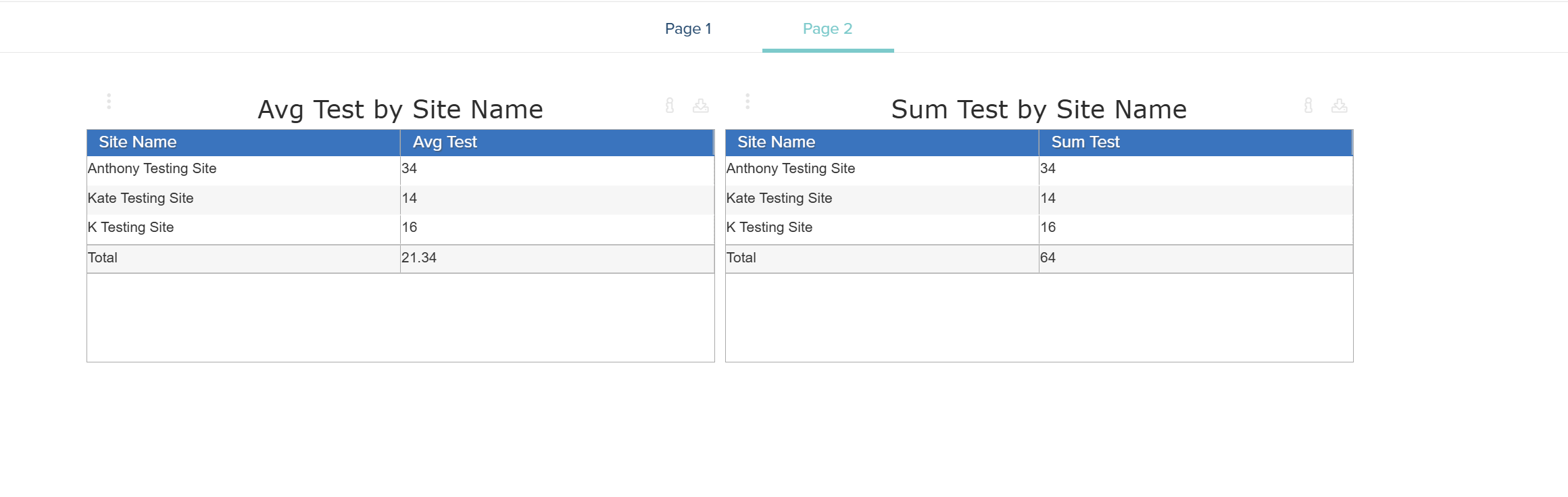
If you are building a grouped table, for example, you may be working with average metric calculations. Previously, when providing users with a subtotal or aggregate calculations, the “Total” would just be the summation of every value. This was confusing, however, since the field itself was providing averages. We have now changed how we perform this calculation, correctly providing users now with average totals. Now, if a measure is a sum or count we provide a total but if it is an average we provide an average total. Here is a quick example:
If you are making a new Storyboard, you may want to build some unique custom measures with your dataset. Previously, users needed to leave the Storyboard editor and create these custom measures in the dataset editor. Now, all custom measures can be created within the Storyboard editor, while editing any visual type. Here is where that can be found:
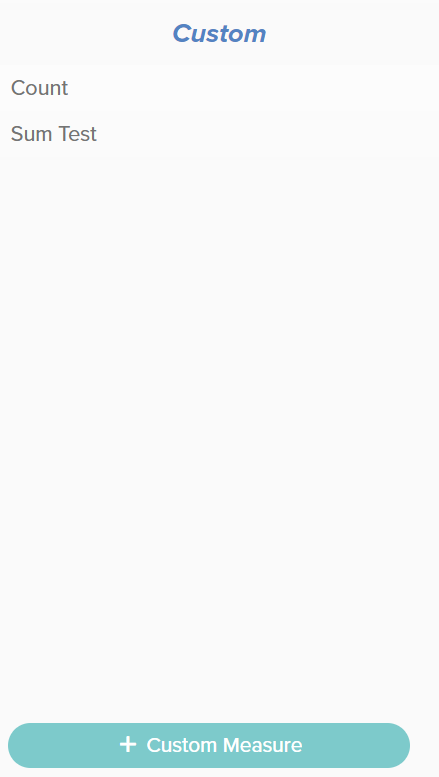
When selecting which measures to add to a visual, the custom measure button will allow users to easily create new measures all now within the Storyboard editor. If you add a new custom measure here, it will be available for all future visuals in this Storyboard but not outside of this board.
Next, the data explorer has been reworked so that all views are full screen, regardless of data size. Note, however, that the number of total fields will determine whether the facet fields are full expanded or not when first launching the data explorer.
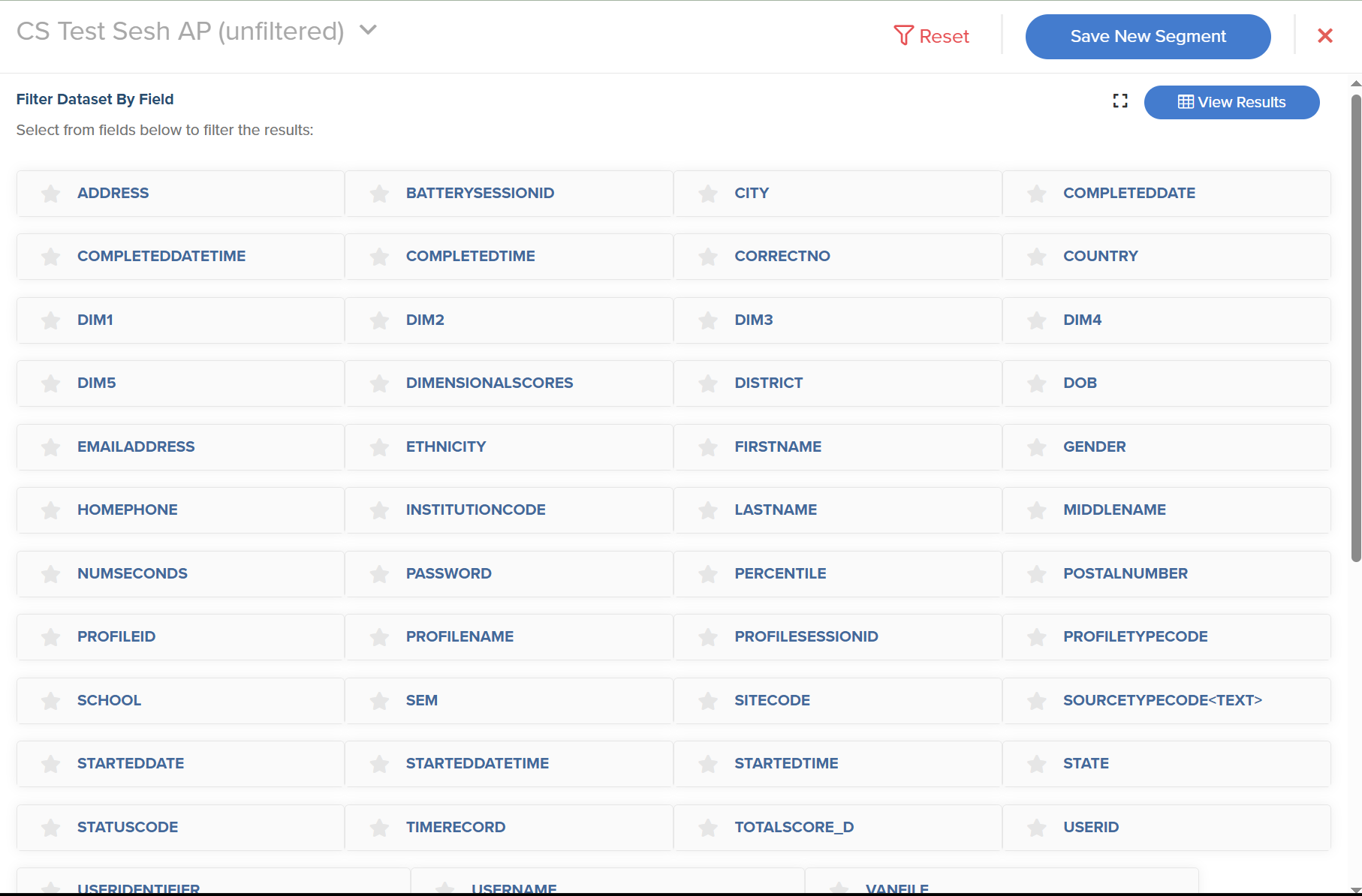
As you can see above, the facets are initially minimized in order to load the overall data explorer much faster. If you click a facet it will expand and if you have a small dataset all facets will be initially expanded on launch.
Note: if you favorite a few dataset fields, they will be expanded immediately when launching the data explorer
If you are building an intelligent agent, you may want to attach a link to a Storyboard that can directly redirect you to the page.

After clicking ‘Live Storyboard’ and signing into your account, you will now be immediately directed the Storyboard. However, if the account you are using to sign in with does not have access to the organization or group where the Storyboard is housed, you will now be notified why you do not have access. This is a new feature, to make it clearer to users why redirects are failing.
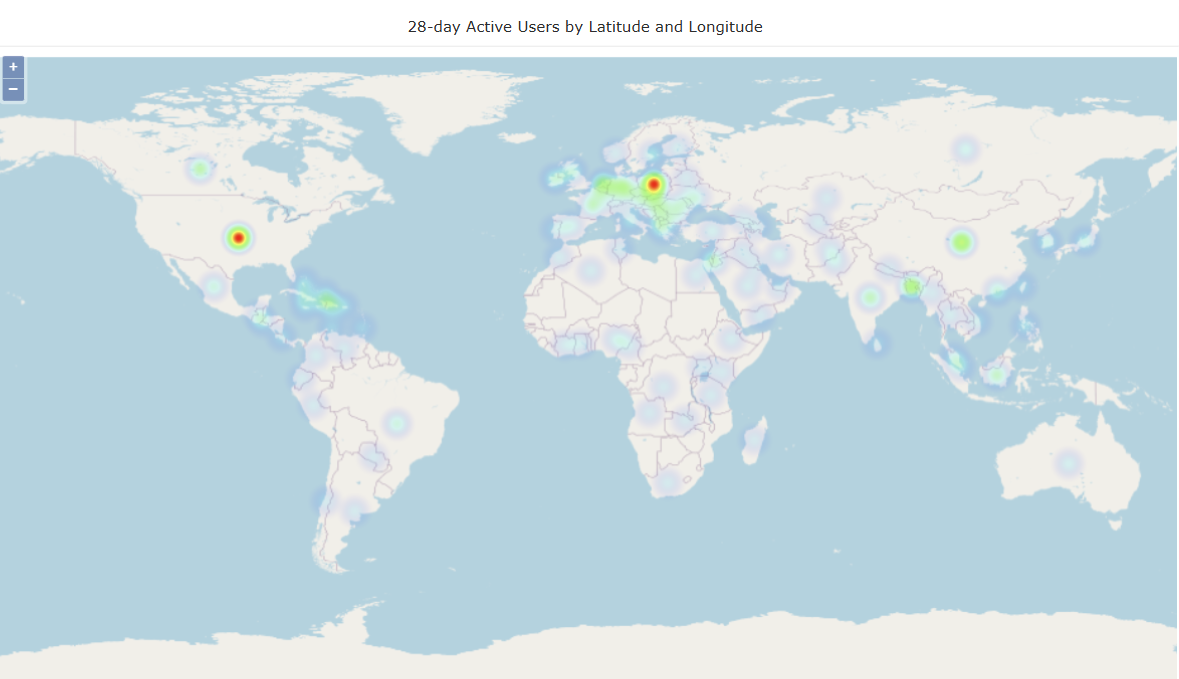
Lastly, here is an example of what the new latitude and longitude metrics can demonstrate with Google Analytics 4 in Optix. Give it a try!
If you encounter any issues or have any questions, please reach out to: support-nucleus@vantage.com