
February 13, 2025 Release

What’s New
- New Features
- Completed Field/Metric filter configuration table to hide all unsupported metric combinations for Facebook/Instagram/GA4.
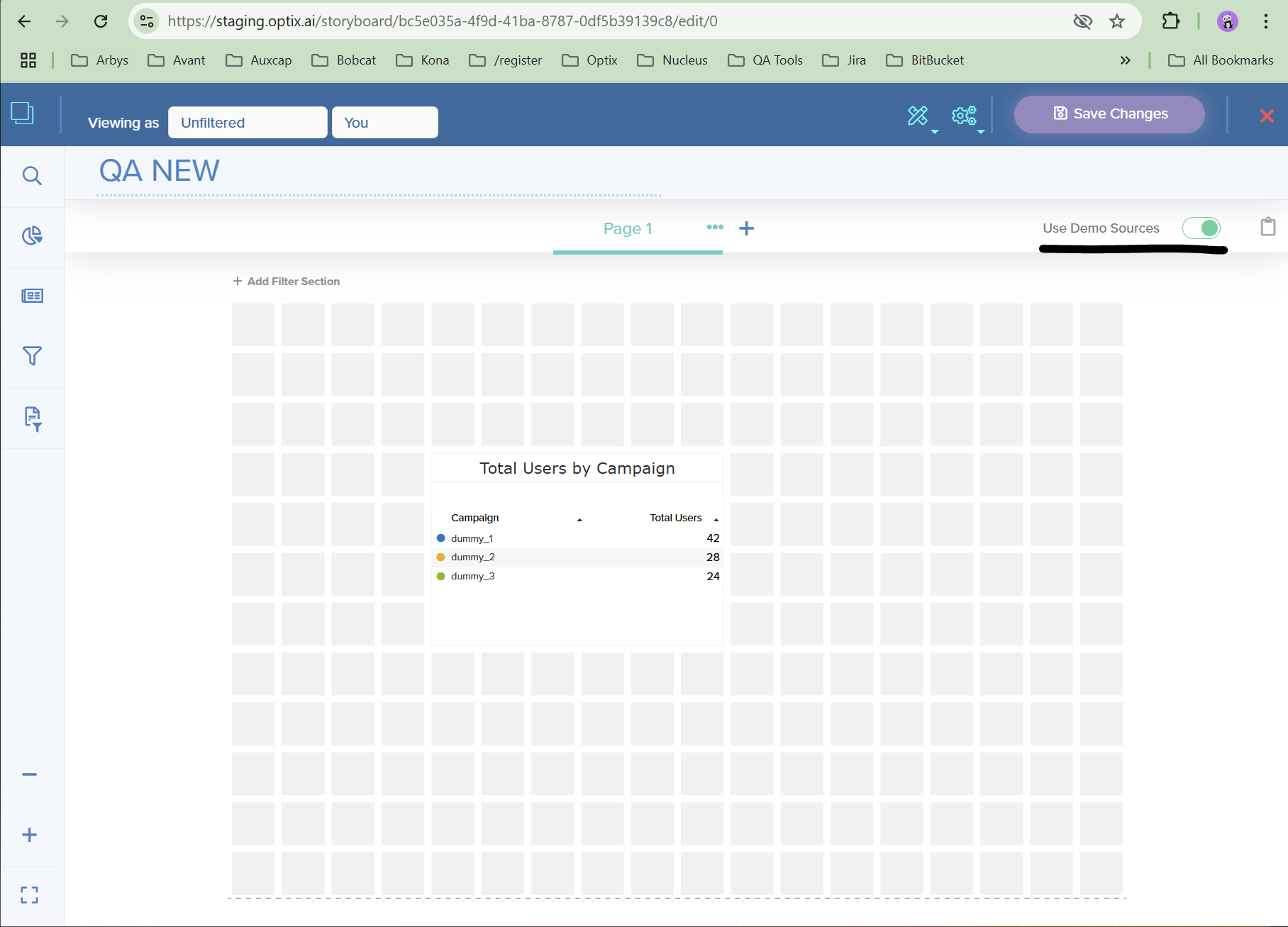
- Added toggle for Demo Data when using templates, to show sample data for all visuals populating the Storyboard without needing a live connection.
- Finalized Google Big Query integration and improved styling / overall user experience.
- Storyboard facet filter functionality and styling improvements.
- Research and Maintenance
- Platform – Investigated and Resolved Multi-Dimensional Direct / Query Export Issues
- Platform – Resolved Grouped Table Javascript Week/Month Styling Error
- Platform – Added Additional Export Instances In Order to Prevent Large Exports From Stalling Export Queue
- Platform – ‘Search for More’ Filters No Longer Allow User to Select Repeat Filters
- Optix – Visual Library Duplicate Labels Removed From Dual Headline
- Optix – Copying Visuals Prepopulates Visual Datasource
New Features
We have finalized the work this sprint on the new Optix field/metric filter configuration table that hides unsupported metric combinations for Optix social connectors. This feature is currently supported for Facebook Ads, Facebook Pages, Instagram, and Google Analytics 4. If you encounter any combinations of metrics that are showing “Not supported in API” please report this to support-nucleus@vantage.com and we will be sure to hide this in the future. This update enhances the user experience by simplifying the configuration process and preventing errors from unsupported metric pairings.
If you are editing a template or building a Storyboard off of a previously-made template, you may notice a new toggle on the upper-right-hand side of the screen. Use this toggle if you want to populate the visuals without connecting your own data source connection.
We have also added Google Big Query as a new datasource connection users can utilize in the data manager. If your service plan is not showing in your organization or group, feel free to email: support-nucleus@vantage.com and we can make sure to add this datasource type.
Here is a document to reference if you like a step-by-step guide to adding a new Google Big Query connection: https://support.iseek.ai/knowledge-base/how-to-create-storyboards-using-google-big-query/
There were also some maintenance tasks performed this sprint as well. Facet filters got a major overhaul, including:
- Date facet filter no longer shows unsupported exclude and missing toggle.
- Investigated date popup dialogue zooming inconsistencies.
- Facet filter selections no longer refresh and clear filters after initial selection.
- Removed outdated checkmark symbol.
To see these new changes, in the Storyboard editor add a new facet filter to the page and select a metric/field.
If you have any questions or encounter any problems, please contact: support-nucleus@vantage.com