
May 1, 2024 Release

What’s New
- New Features
- Platform: Intelligent Agent (Implement IA Message Editor UI Mockup, Functionality and Styling Improvements)
- Data: Upgrade Index Statistics Component
- Development: Build System Migration to Cloud Repository
- Intelligent Agent Documentation and Maintenance
- Maintenance
- Platform – Clicking ‘Reset Visual” When No Visual Is Selected No Longer Shows A Popup Error.
- Platform – Data Explorer Segment Total Count Matches Result Total.
- Platform – Clearing Column Sort Also Clears Arrow Direction.
- Platform – Visual Library Field Names No Longer Obscured by Dataset Logo
- Platform – Improved Styling of Visual Library Field Description
- Platform – Added Lightning Bolt Indicator to Visual Description Logo
- Platform – Placing A Previously-Created User From Application Level to Group Level No Longer Fails
New Features
In this release, the nucleus team focused on implementing the message editor mockup that was designed in the previous sprint. There was also improvements made to the processing speed, export functionality, and overall styling.
For comparison, here are a few screenshots of the previous Intelligent Agent UI.
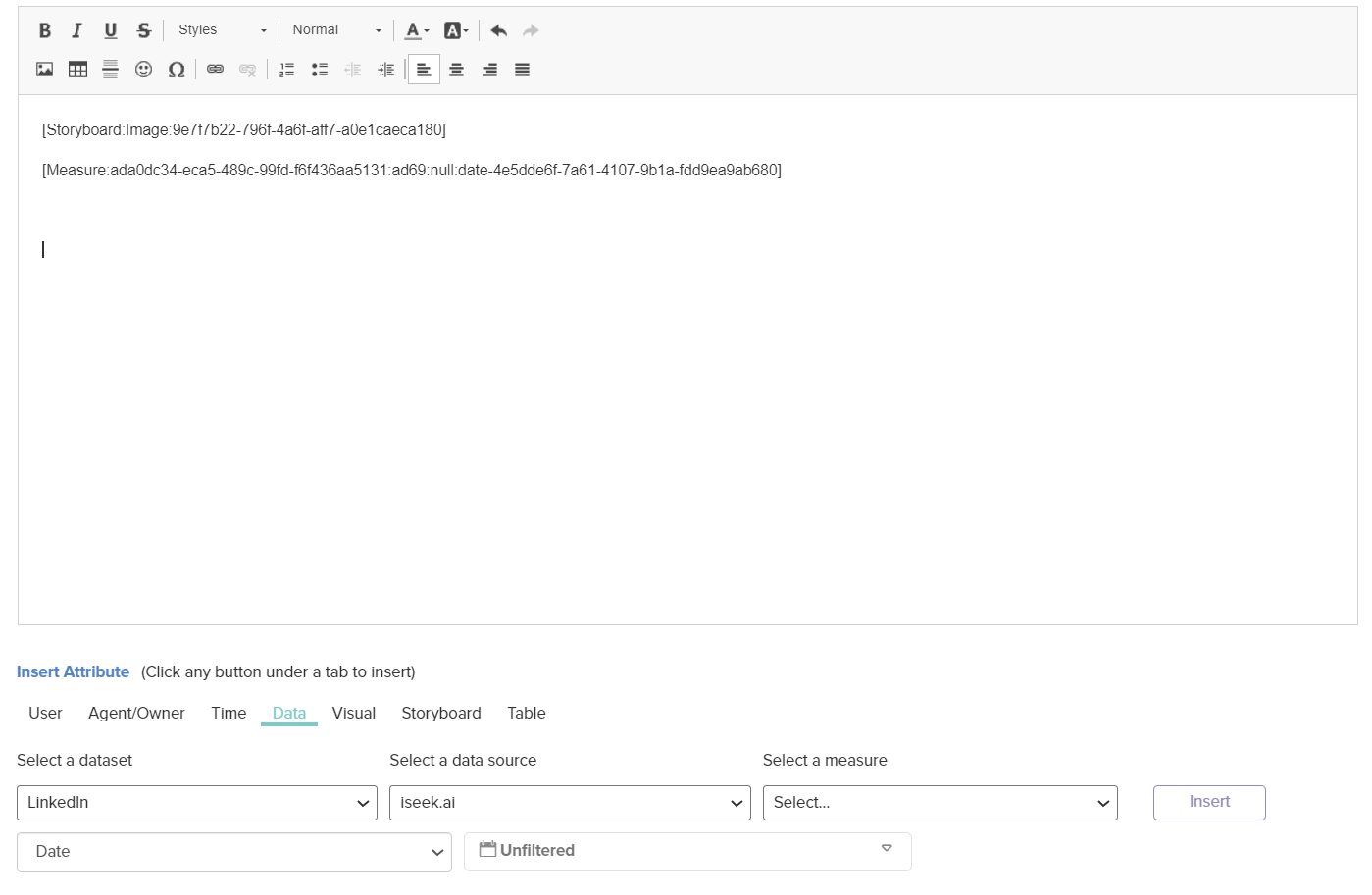
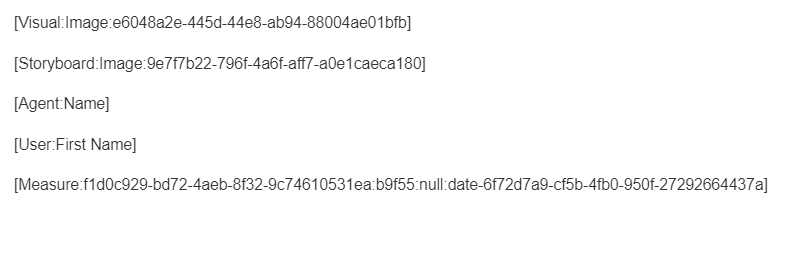
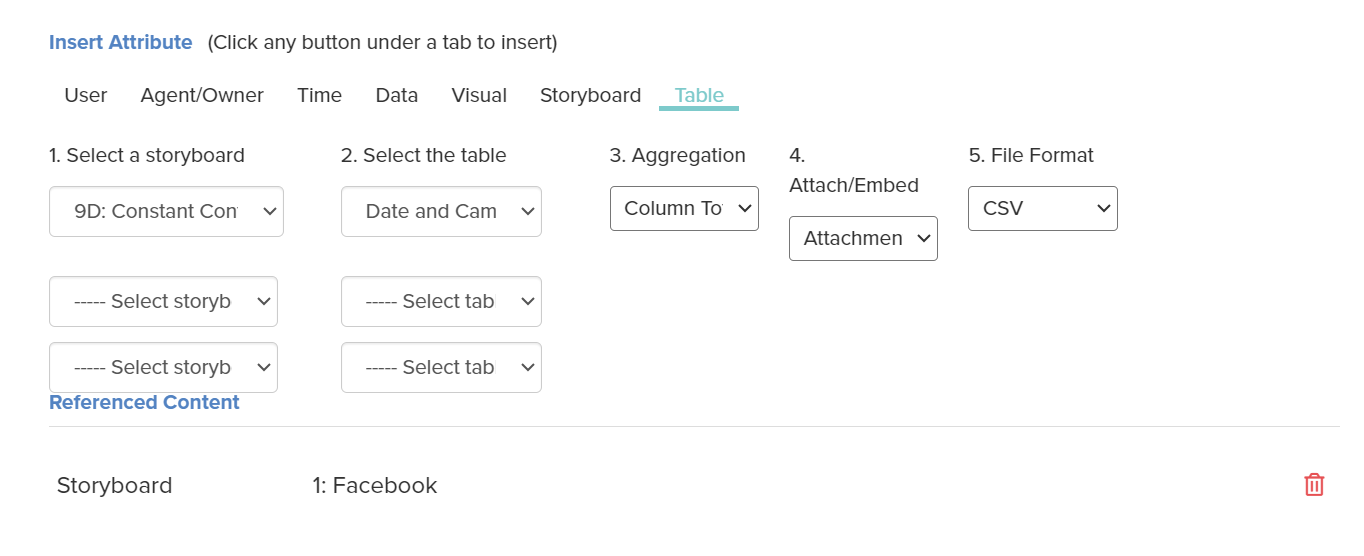
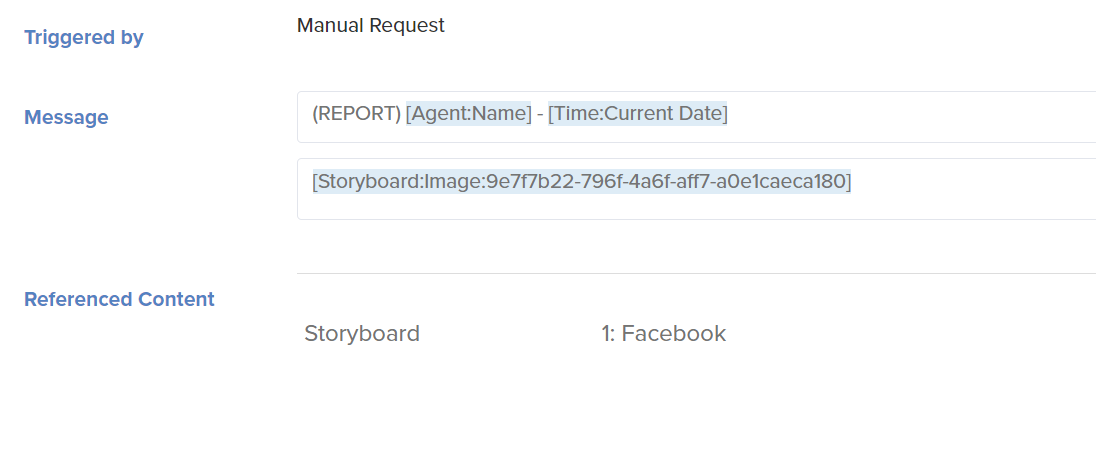
In comparison, here are some screenshots from the new Intelligent Agent version.
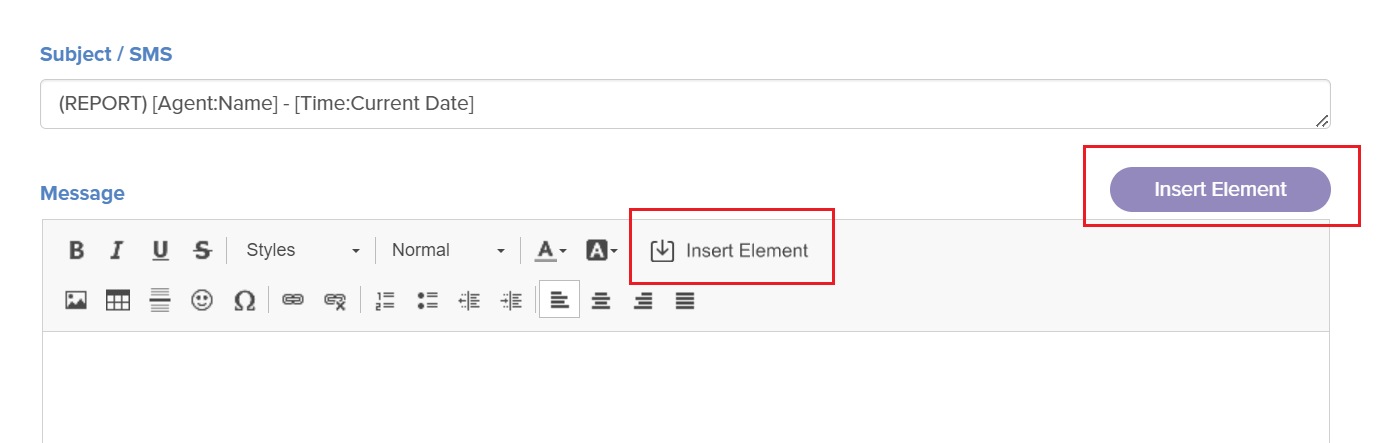
When clicking the new buttons above, it will display the attribute popup dialogue below.
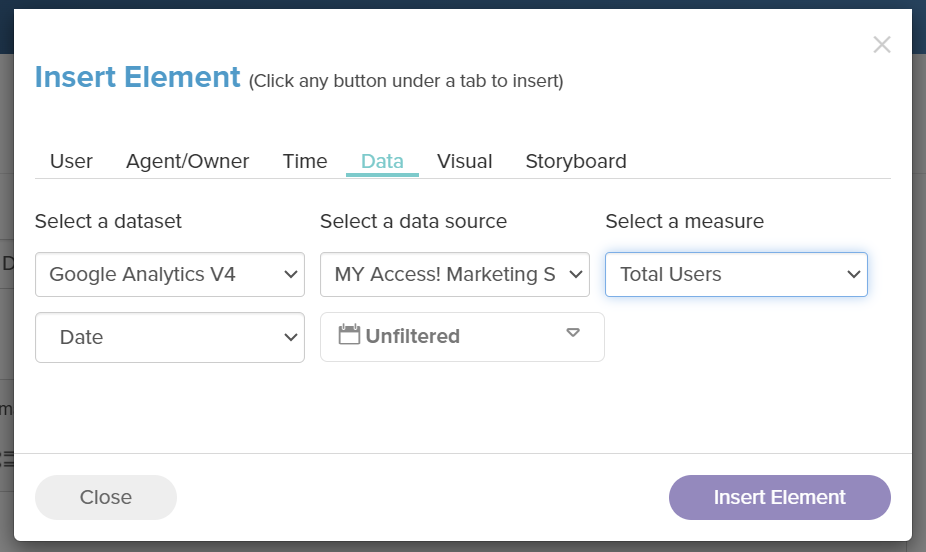
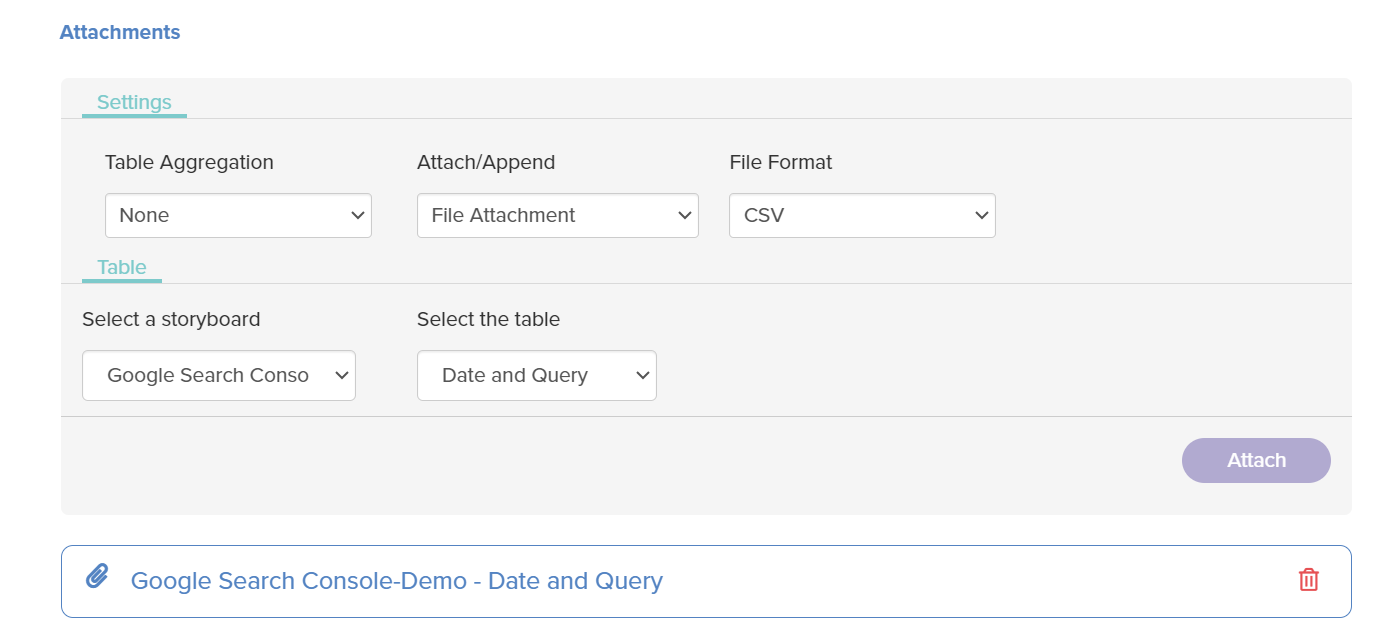
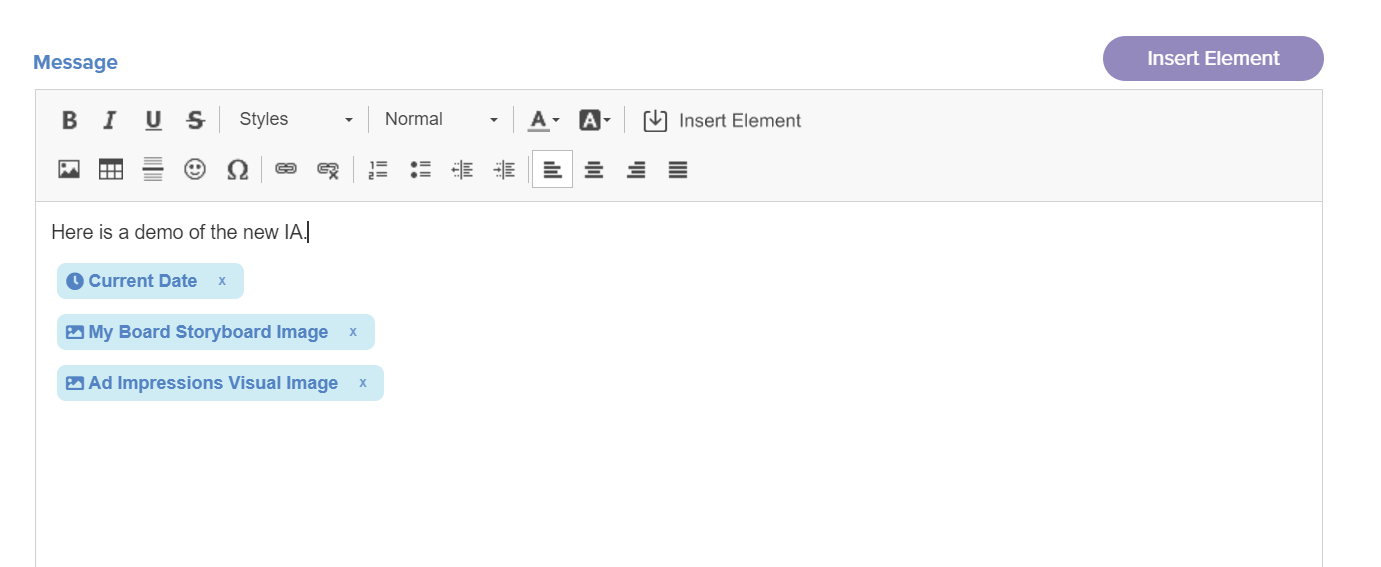
Here are a few additional images, showing the attachment section, as well as how elements appear within the text content section.
Users can now also double click any element within the text editor and make changes as well!
Please provide any feedback/suggestions you have in regards to the new intelligent agent editor!
If you have any questions or encounter any problems, please contact: support-nucleus@vantage.com